| Download Bernoulli Quick Start Guide as PDF |  |
Overview
The Bernoulli revision of the Ciholas Ultra-Wideband (CUWB) system is a full Real-Time Location System (RTLS) designed for increased scalability and configurability while maintaining many features of previous releases. The following quick start documentation is intended as a guide for new users to quickly start and operate an Bernoulli network.
This guide is not intended for advanced setup, for further detail regarding the various system options please see the full Bernoulli system documentation.
Setup
- Determine Anchor and Master Locations .
- Anchors require line of sight visibility to multiple adjacent anchors.
- Tags require line of site visibility to four or more anchors.
- Anchor location selection should initially prioritize the perimeter of the intended tracking area. Fill in the interior area with additional anchors if possible.
- Installing anchors above tracking areas where Z performance is installed above any areas where Z tracking accuracy is of particular importance.
- Determine axis orientation and origin.

- Survey and record anchor locations relative to the origin and desired XYZ axes. Measurements should be in meters.
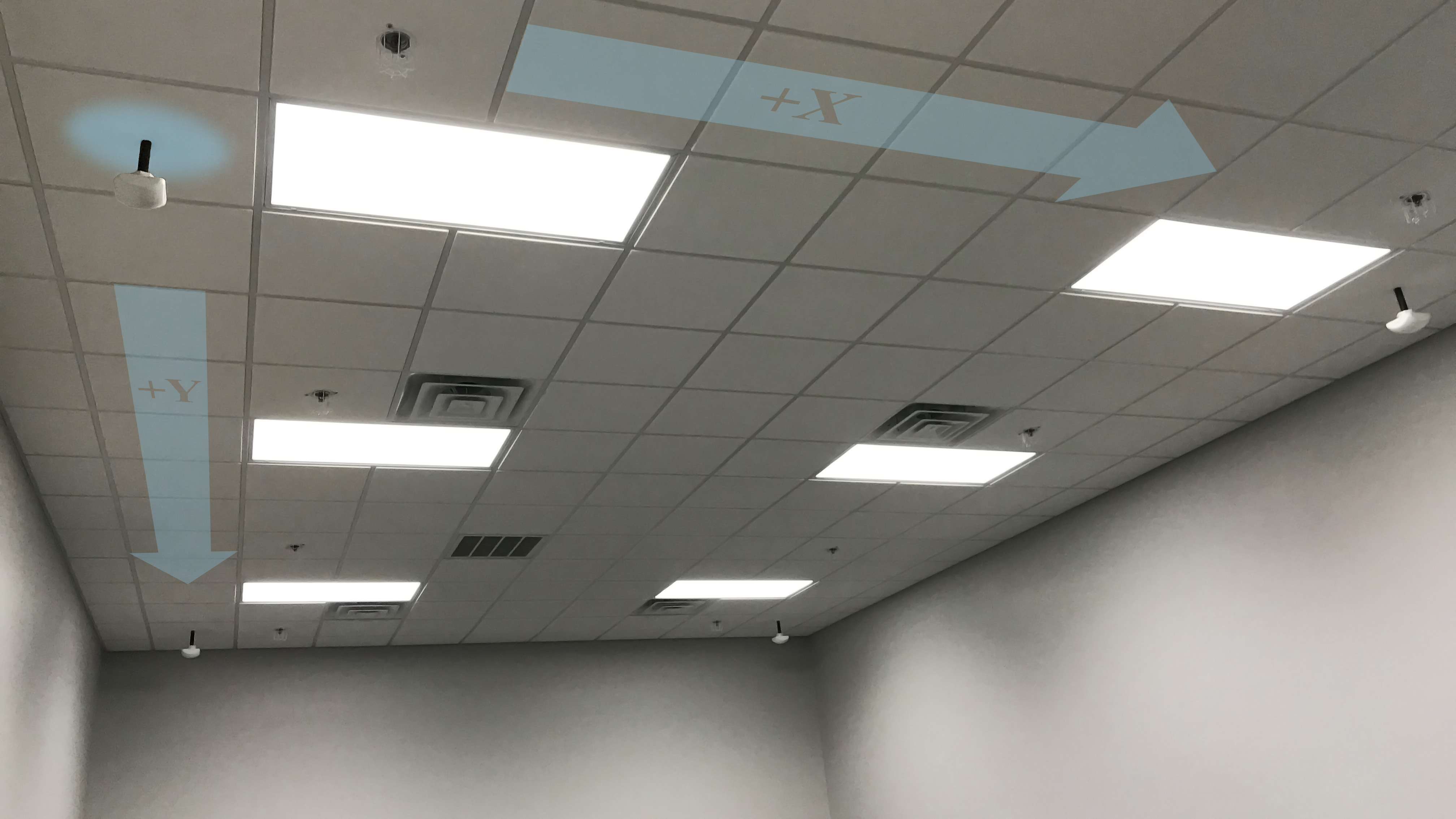
Installation
Follow the instructions below for CUWB Manager installation. When prompted in the ‘CUWB Applications Selection”, ensure that CUWB Network and CUWB Viewer are selected for installation. Following successful installation, the CUWB Manager will be available on all of the host machine’s network interfaces on port 5000.
- Follow best practices and review our install.sh script.
-
Paste into your Ubuntu 16.04/18.04 terminal and press Enter:
bash <(wget -qO- https://cuwb.io/install.sh)
- Paste into your Ubuntu 16.04/18.04 terminal and press Enter
CUWB Manager Walkthrough
Use the CUWB Manager to complete the initial setup of the UWB network.
For further details regarding configuration options, please refer to the CUWB Manager Manual.
Usage
- Open the CUWB Viewer Application to view anchor and tag location information.
- The CUWB Viewer automatically detects running CUWB networks and prompts the user to select those that they would like to view. Select the network that was previously created to monitor the location output.
- Multiple views and options are available in the CUWB Viewer. Please refer to the CUWB Viewer Manual for specific details.